Microsoft Office Access 97/2000 -- Sample Lab Exercise #1
This exercise uses a ready-made databasetemplate to create your database.
1. Enter Microsoft Access
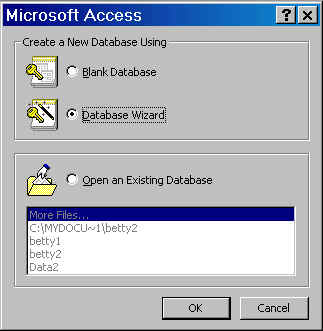
2 Select Database Wizard, Ok.
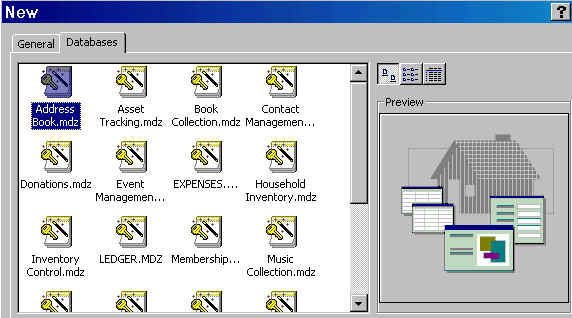
3. Change to Database tab. Select Address Book, Ok.
4. Save filename as data1.
6. At Main Switchboard, click Enter/View Address.
7. Type in the following data into the table : (Ignore Address ID)
| Firstname | Lastname | Address | City | State | Zip |
| Amy | Lee | 32 Donna Rd | Dallas | TX | 75406 |
| Jackie | Tseng | 25 S. Walnut | San Gabriel | CA | 91776 |
| Jenny | Lee | 63 S. Allen | Pasadena | CA | 91723 |
| Jean | Liu | 15 Sierra Vista | Alhambra | CA | 91802 |
| Gina | Frain | 184 Kallaste | New York | NY | 10003 |

| Click here to enter the next record.
6. When you finish, save the table.
Exit Access (File, Exit)